Console Characters and Favorites
Two smaller quality-of-life features are now live: console character support for Path of Exile 1 profiles, and character favorites for both games.
Path of Exile 1 Console Characters
Path of Exile 1 players on Xbox and PlayStation have their own leagues and ladders, separate from PC. Until now, poe.ninja profiles only showed PC characters.
You can now enable your console platforms in account settings. Once enabled, your Xbox or PlayStation characters show up in your character list and get full character pages, including equipment, passive tree and Path of Building stats, just like PC characters.
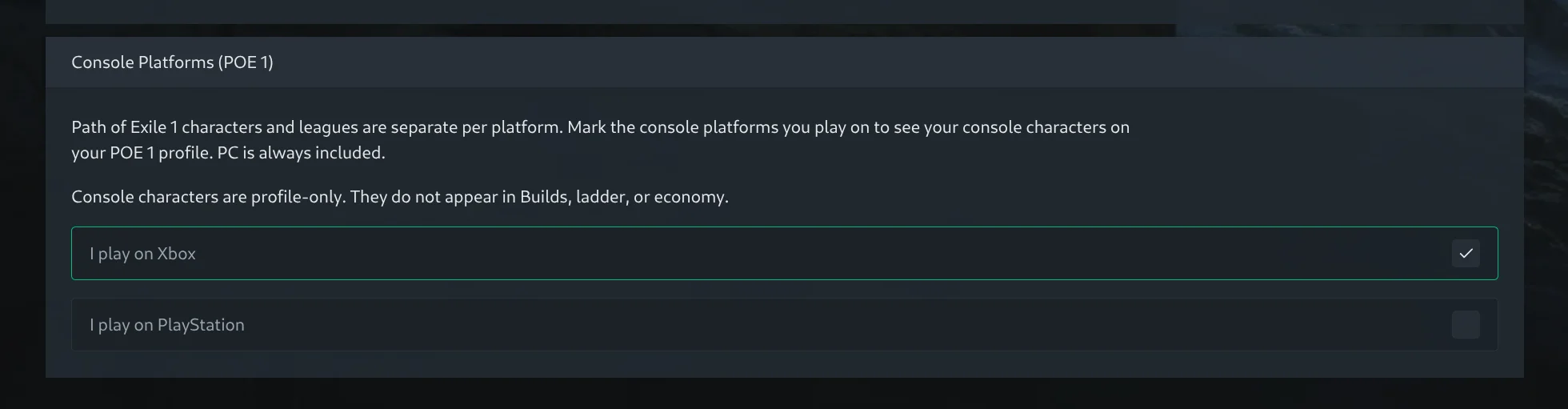
Console characters are profile-only for now: they appear on your profile and character pages but not in the Builds section or ladder. Both platforms are opt-in, so nothing changes unless you flip the toggle.
Favorites
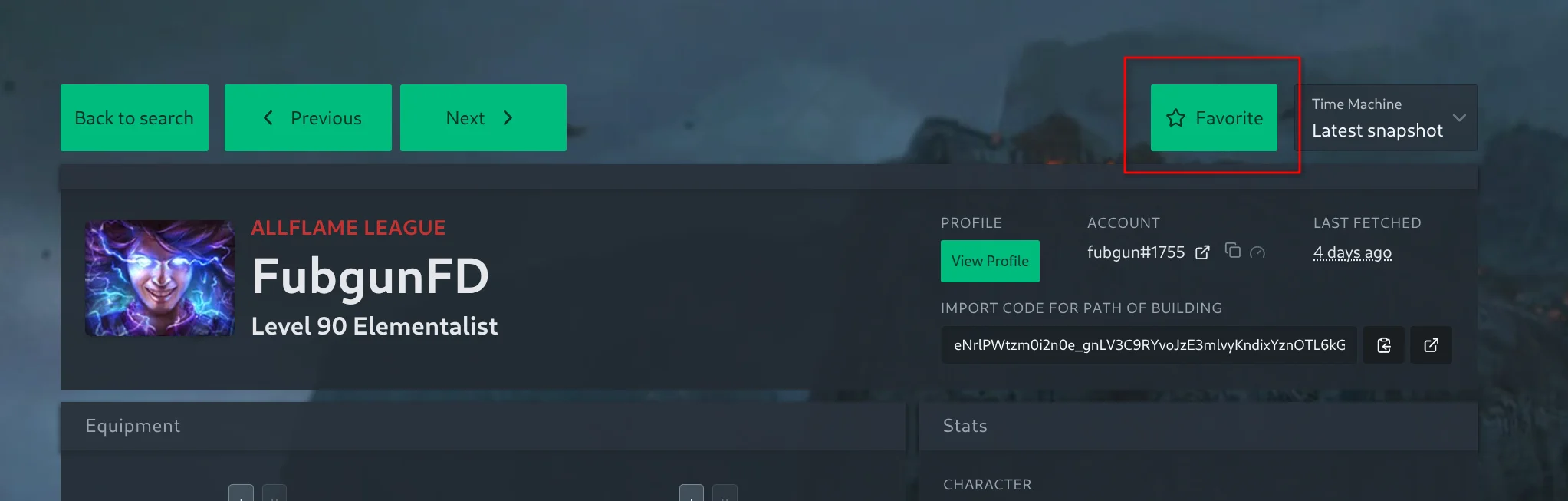
You can now save characters you want to keep an eye on. When viewing a character, whether a build you are studying or a rival from a race event, use the new Favorite button in the top right to add it to your list.
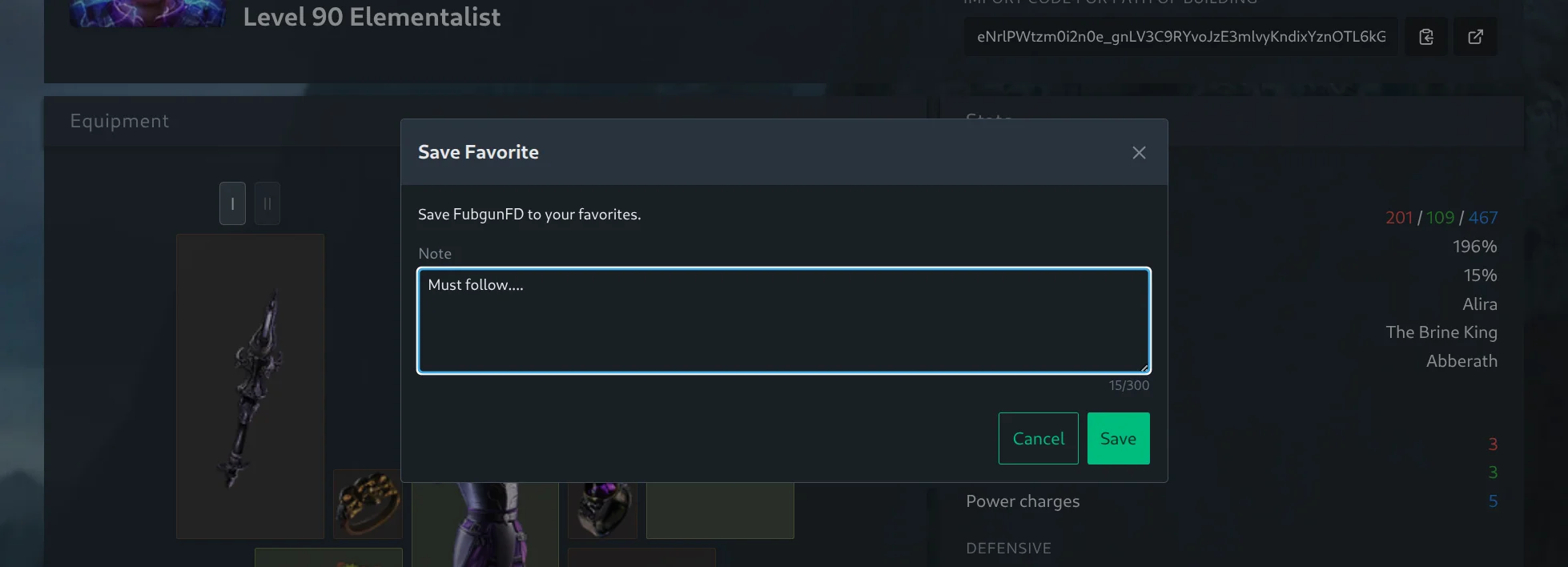
Each favorite comes with a personal note, pre-filled with the character’s main skill so your list is self-describing from the start. Write whatever helps you remember why you saved it: “league starter idea”, “cheap Righteous Fire setup”, “check gear again at level 95”. Notes can be edited any time, and hovering the Favorited button shows your note without leaving the page.
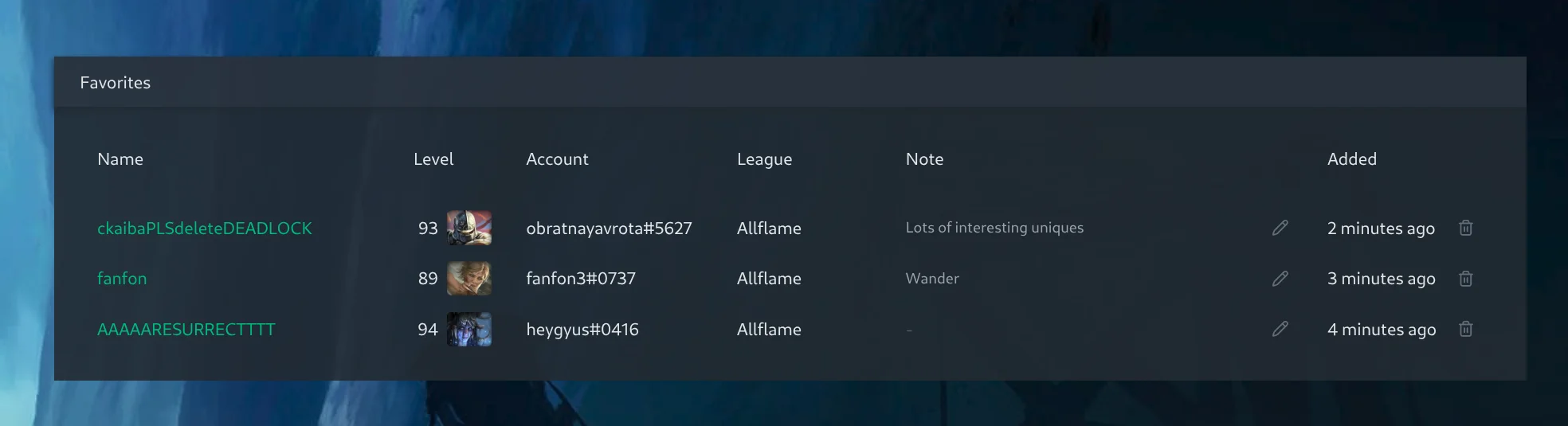
Your favorites live at /poe1/favorites and /poe2/favorites, also reachable from the star icon in the top bar and from the account menu.

The list shows each character’s current level, class and league alongside your note, and links straight back to the character and the account it belongs to.
A few details worth knowing:
- Favorites require being signed in with your pathofexile.com account, and you can save up to 10 characters per game. The limit might be increased later depending on performance and demand, so let us know on Discord if you are running out of stars.
- The list always shows the character as it is now. If a character climbs the ladder or respecs, your favorite follows along.
- If a saved character is deleted by its owner, the favorite stays in your list with your note, marked as no longer available, so it never silently disappears.
Try It Out
If you play on console, flip the toggles in settings and refresh your character list. Then star a character or two, and let us know what you think on our Discord.