Offensive Stats and Main Skill Traits
Following on from Defensive Stat Breakdowns, the offensive side is now live in both Path of Exile 1 and Path of Exile 2: breakdown tooltips for each main skill on the character page, a set of offensive stats shown beside DPS in the Builds section, and a new Main Skill Traits filter that replaces the old Main Skill Modes.
Together they answer two questions that used to take a lot of clicking: “how does this build get its DPS?” and “show me the builds that do it my way”.
Video Walkthrough
Offensive Stat Breakdowns
On any character page, the Main Skills cards now fold out into the numbers behind each skill’s DPS. Expanding a card lists the damage the skill deals per damage type as an average hit, any damage over time it applies as DPS, and below that its attack or cast rate, crit chance, crit multiplier and hit chance.
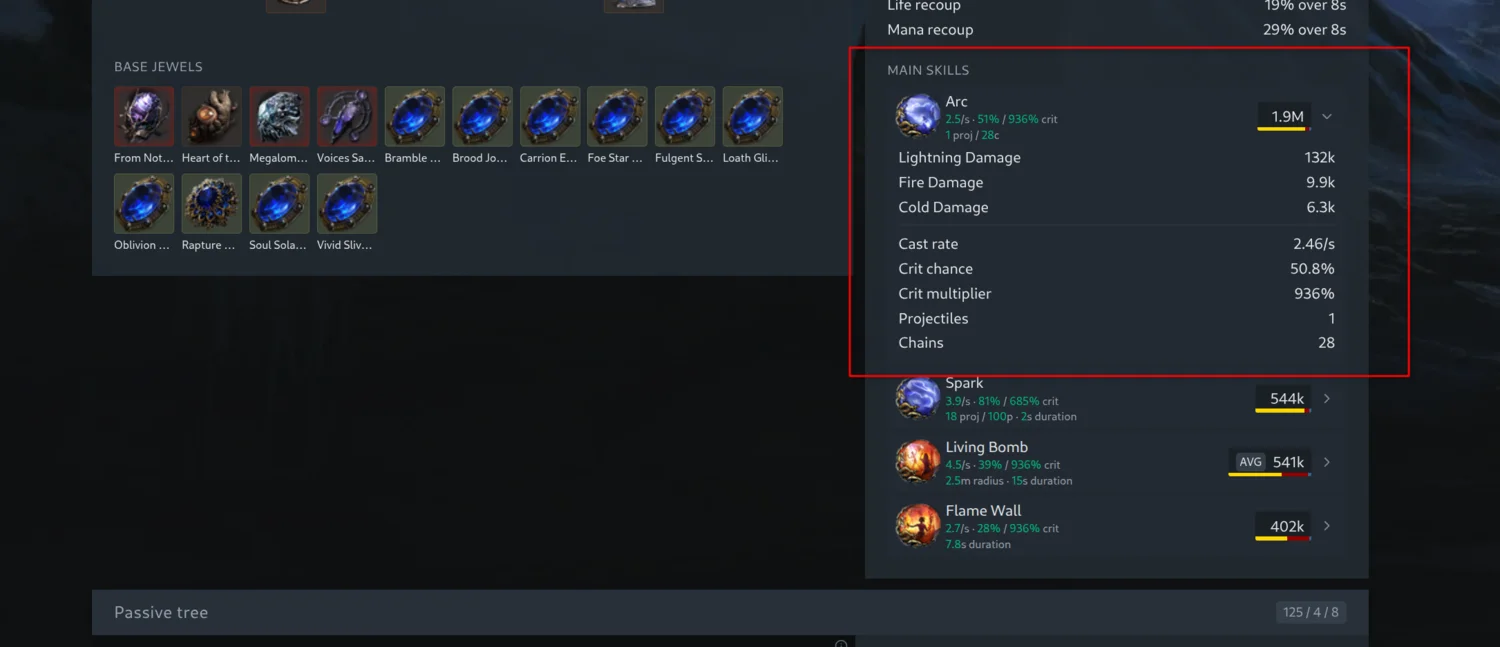
Every one of those rows opens a breakdown on hover, in the same layout as the defensive tooltips. A damage row shows the flat damage added to the skill from gems, weapons and other sources, then the increased modifiers and more multipliers scaling it, so you can see whether a build’s fire damage comes from the gem itself, a big flat roll on a weapon, or a stack of multipliers on the tree. A stat row shows that stat’s base and its modifiers in the same way.
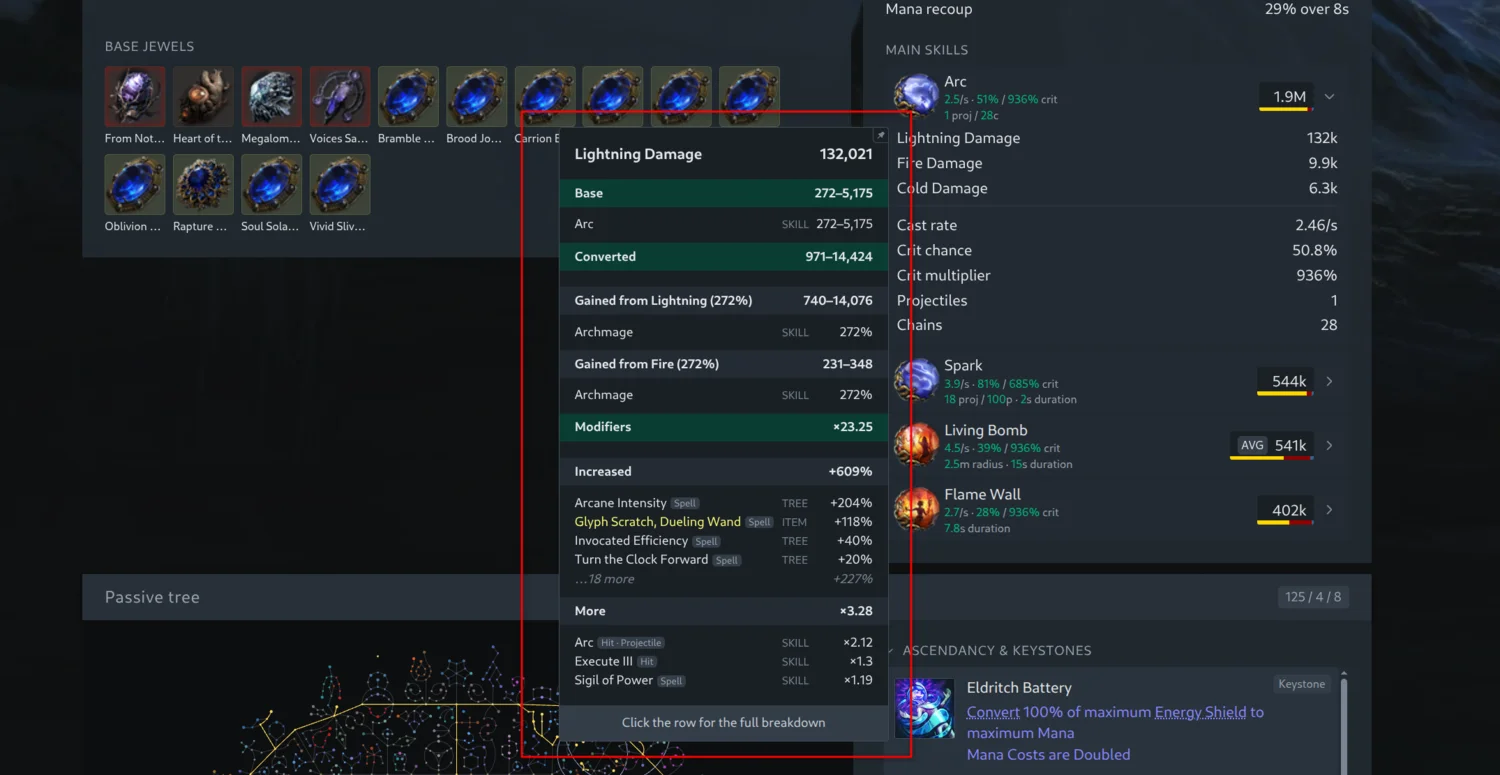
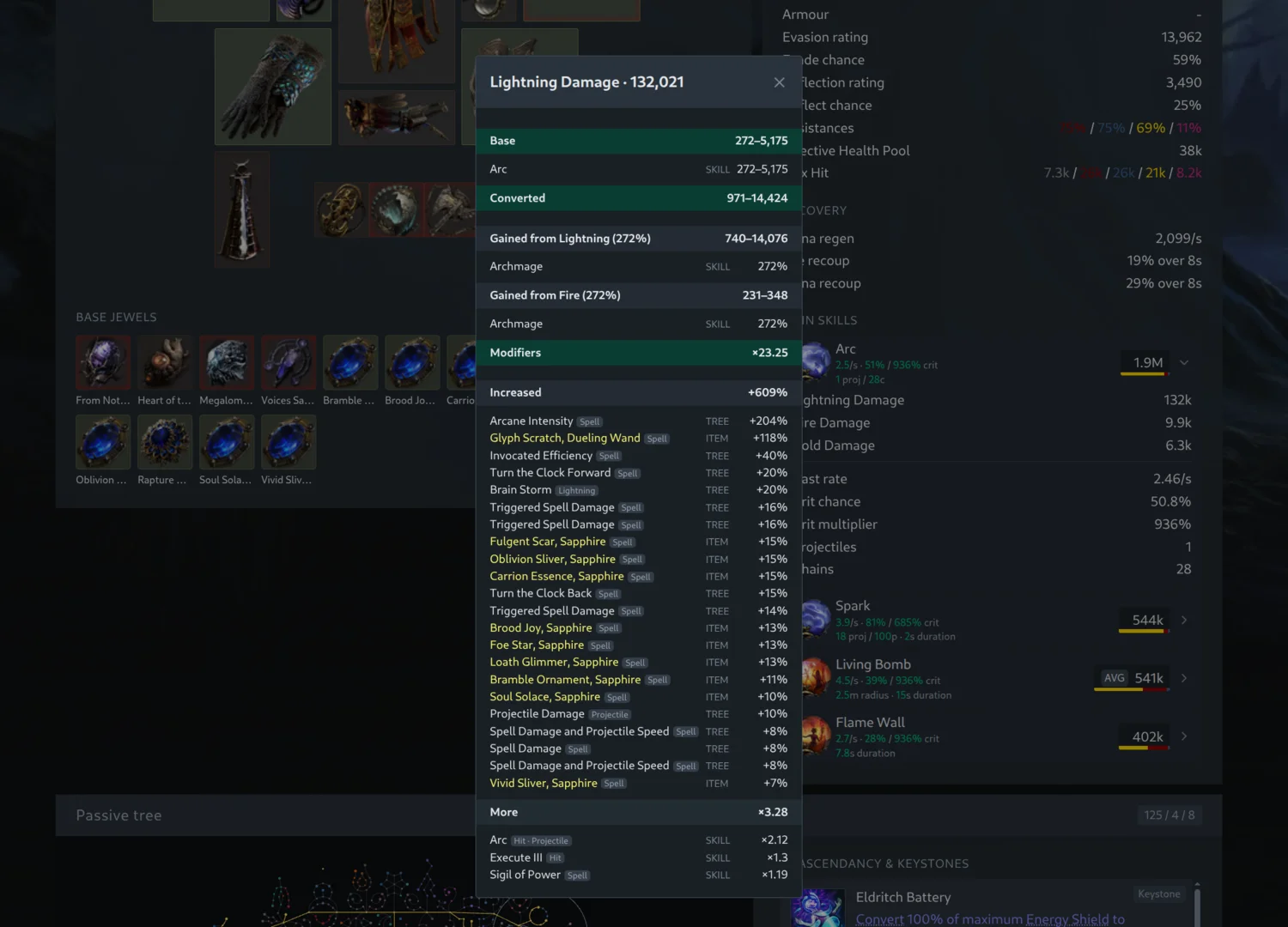
Offensive breakdowns tend to be long, since a well-scaled skill can pick up dozens of modifiers from the tree alone, so the tooltip keeps to the biggest contributors in each group and sums the rest into a single line. Click the row to open the full breakdown in a dialog, with every modifier and its source listed.
Offensive Stats in the Builds Section
The same numbers are also useful before you open a character. DPS on its own hides a lot. Two builds with the same number can be a fast-hitting crit attack and a slow, big-hit non-crit spell, and until now you had to open each character to tell them apart.
Hovering a DPS value in the Builds section now shows the numbers behind it: attack or cast rate, crit chance and crit multiplier, hit chance, projectile count, forks, chains, splits, pierces, area of effect radius and duration, all straight from Path of Building for that character’s main skill.
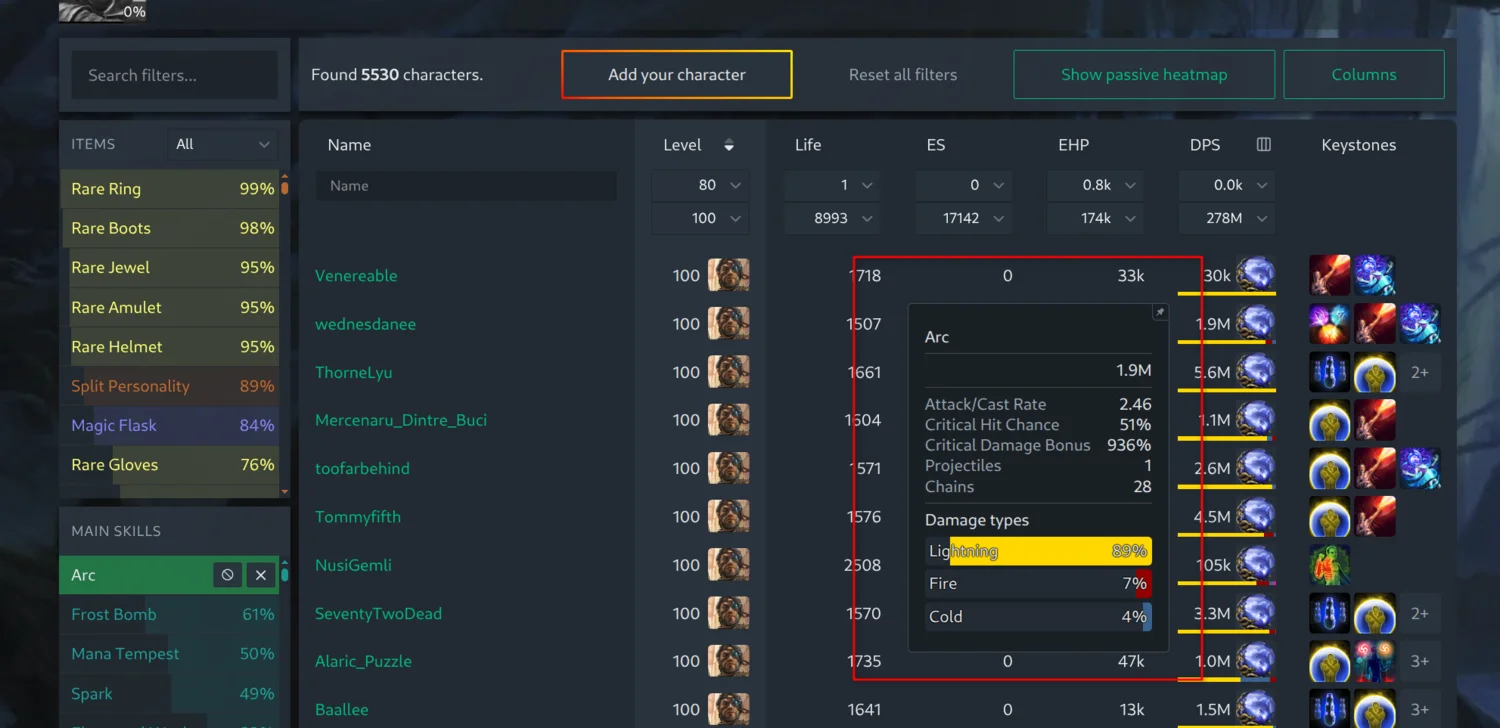
Any of these can also be shown as a column of its own. Open the menu in the DPS column header, tick the stats you care about, and they appear as narrow columns next to DPS. Like every other column in the Builds section, they sort and filter, so you can list the fastest-attacking builds, or only the ones with 100% hit chance, or everything firing more than 10 projectiles.
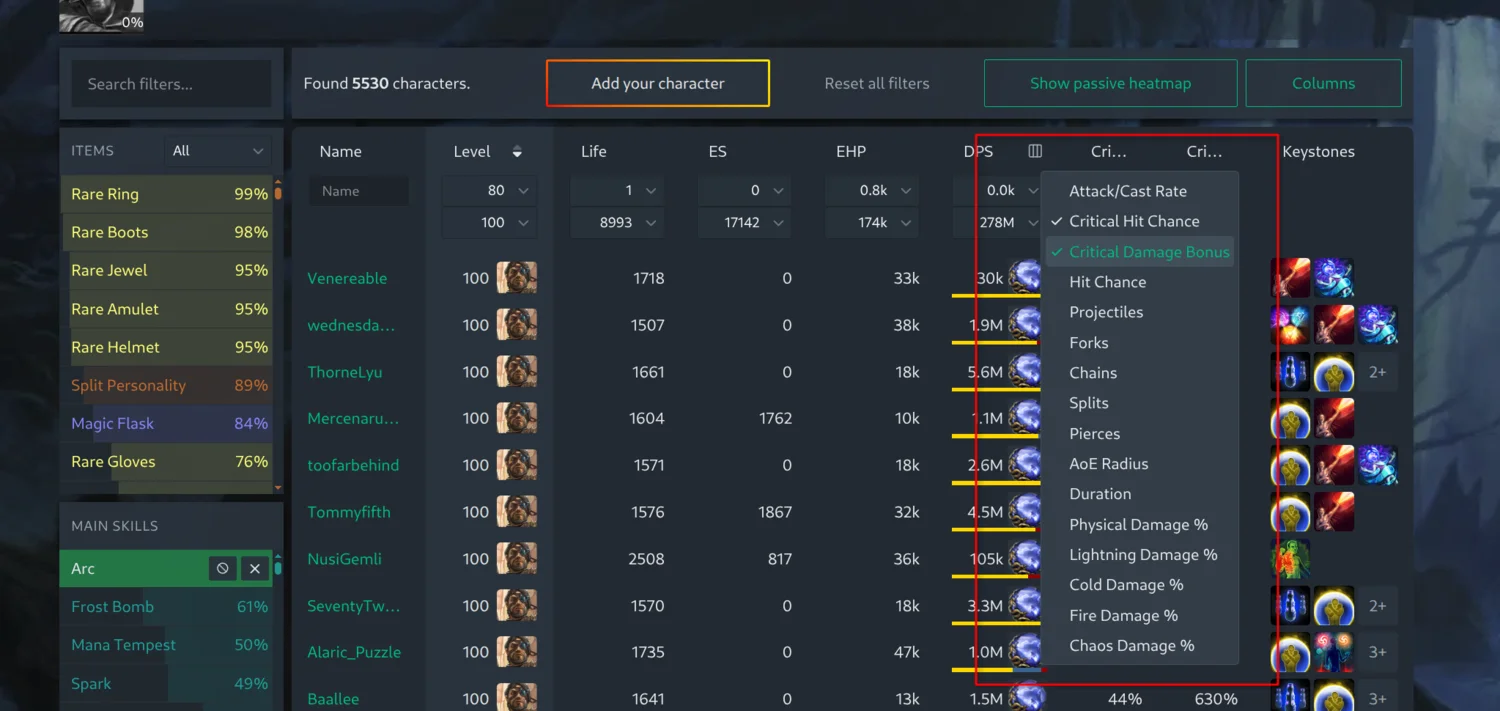
The damage split you already know from the DPS bar is available in the same way: Physical, Lightning, Cold, Fire and Chaos Damage % columns show the share of a skill’s DPS dealt as each type, and each of them can be sorted and filtered too.
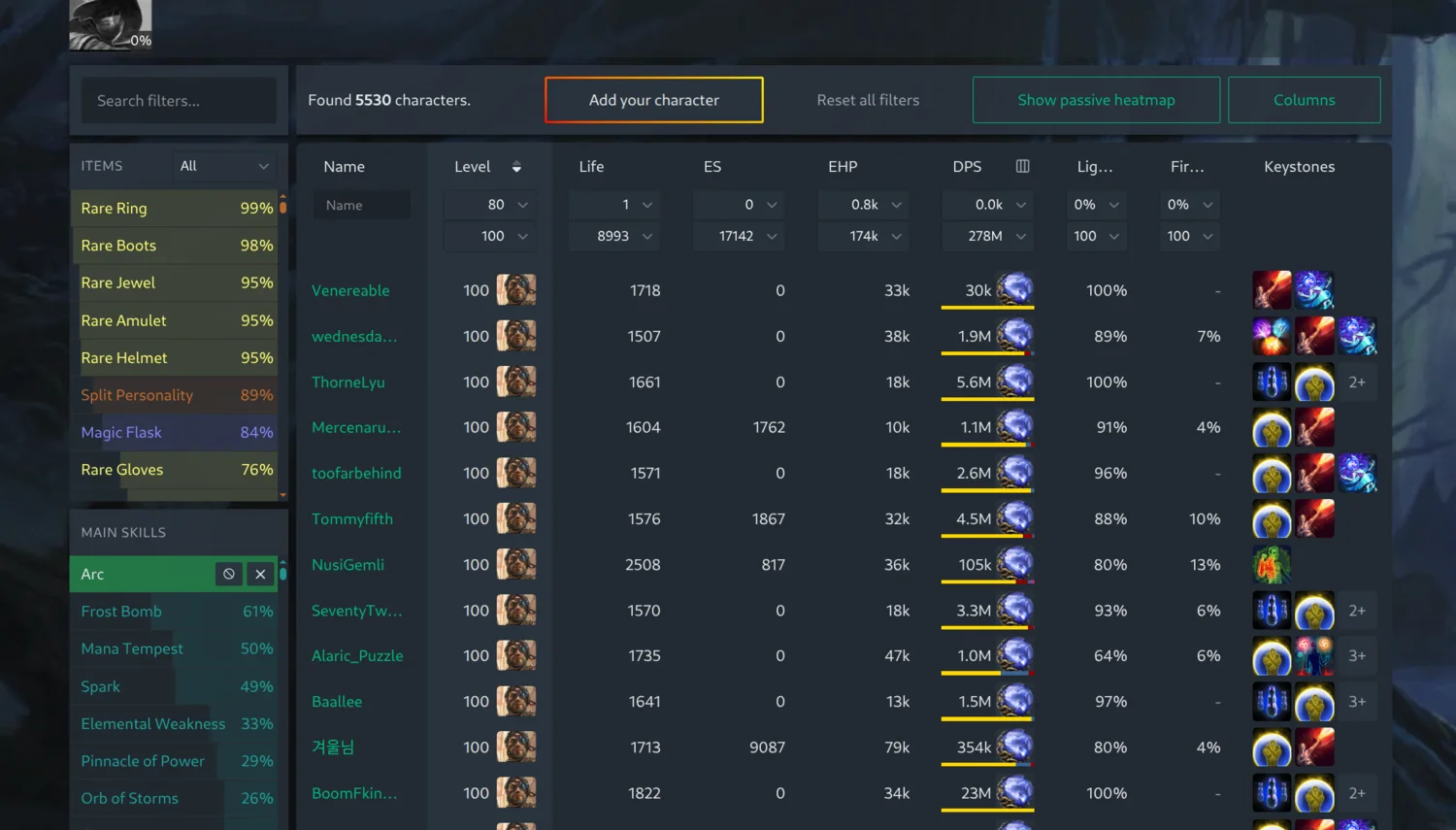
The stats follow the skill you are looking at. With no skill selected they describe each character’s highest-DPS main skill. Pick a main skill in the filters and the tooltip, columns and filters all switch to that skill, so filtering on crit chance while looking at Lightning Arrow builds means Lightning Arrow’s crit chance, not whatever else the character happens to have socketed.
Stats that do not apply are left blank rather than shown as a misleading number: hit chance for spells, and crit and hit chance for skills that never hit.
Main Skill Traits
Main Skill Modes let you separate totem, trap and mine builds from everything else. The new Main Skill Traits filter keeps that and adds two more ways of describing a main skill:
- Delivery: Totem, Trap or Mine, and in Path of Exile 2 also Triggered.
- Damage Type: the damage type the skill deals most of its DPS as. A skill split evenly between fire and cold carries both tags, so a Fire filter finds it either way.
- Crit: Crit for skills with 20% crit chance or more, No Crit below that.
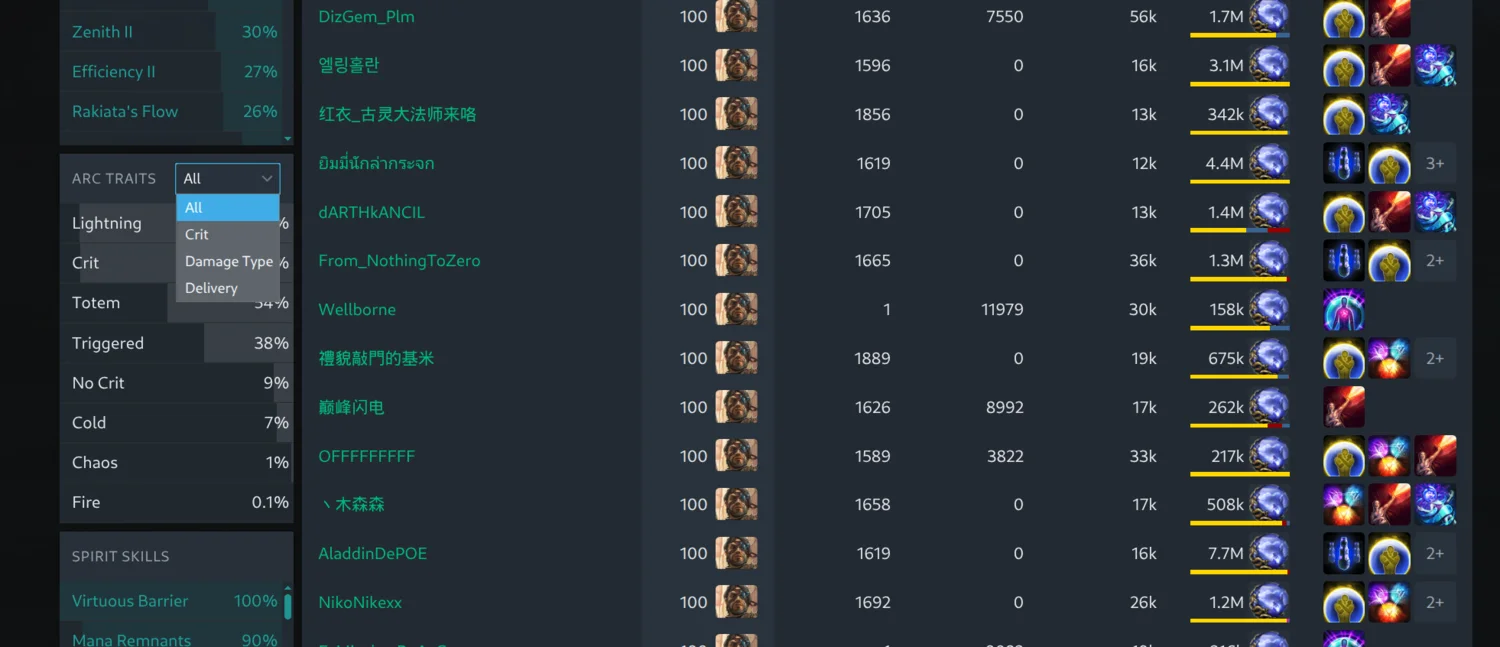
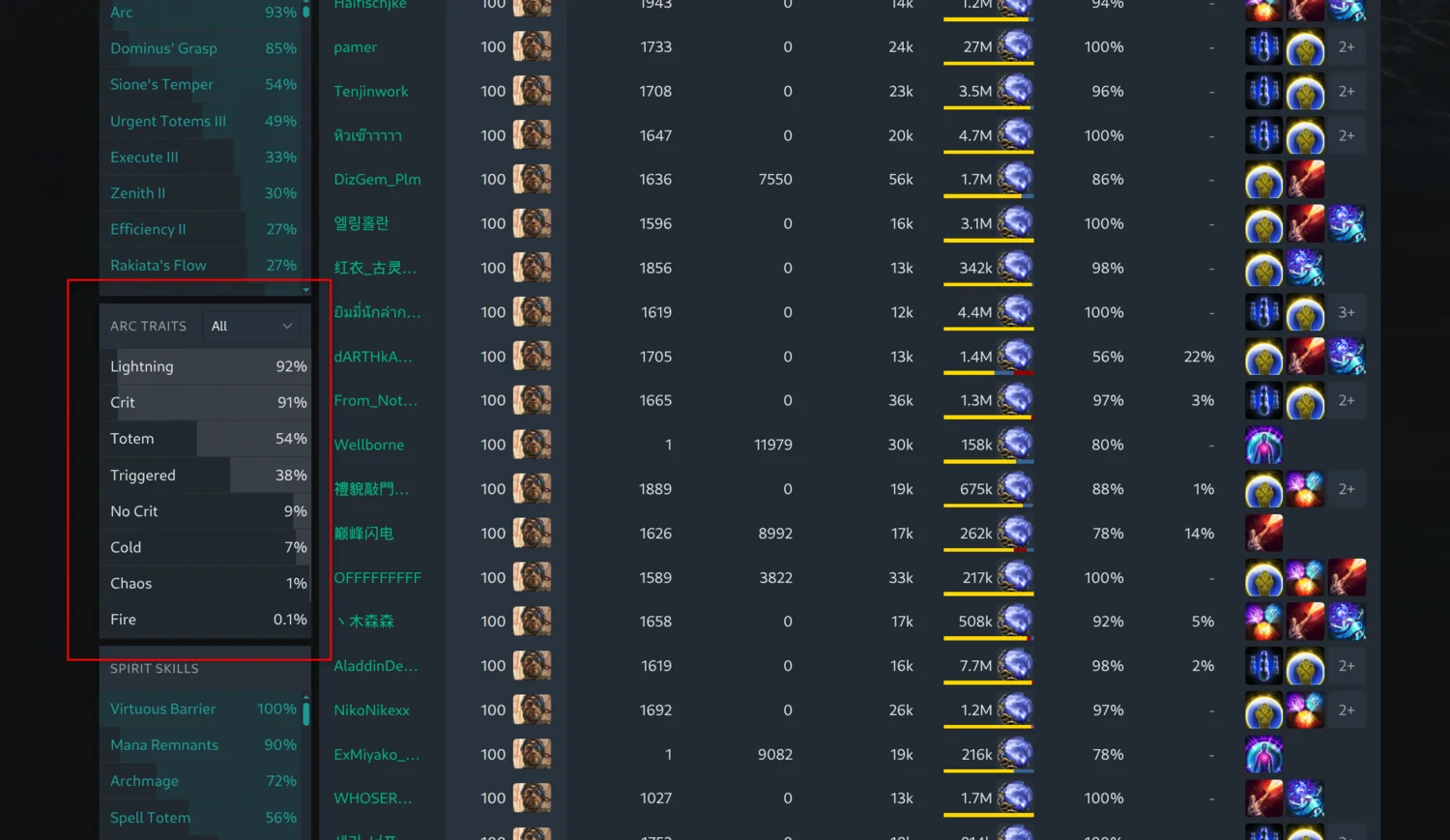
This makes it easy to find things like chaos conversion builds of a skill that is normally elemental, or to compare the crit and non-crit versions of the same skill side by side. Once you select a main skill, a traits section for that skill, such as “Arc Traits”, appears next to its support gems, so the tags apply to that skill specifically rather than to any of the character’s main skills.
Try It Out
Head to Path of Exile 1 builds or Path of Exile 2 builds, hover a DPS value, open the column menu and try a few traits, then open a character and expand its main skill to see where the damage comes from. As always, let us know what you think on our Discord.