Path of Exile 1: Character Trade Search
The new Character Trade Search feature lets you jump straight from any item on a character to a pre-filled trade search on the official Path of Exile trade site. No more copying mods one by one.
A Path of Exile 2 version is in the works and will be available before the 0.5.0 launch in late May.
Video Walkthrough
How It Works
When looking at a character, whether a build you are studying or one of your own characters, hover over any equipped item to reveal a small trade button.
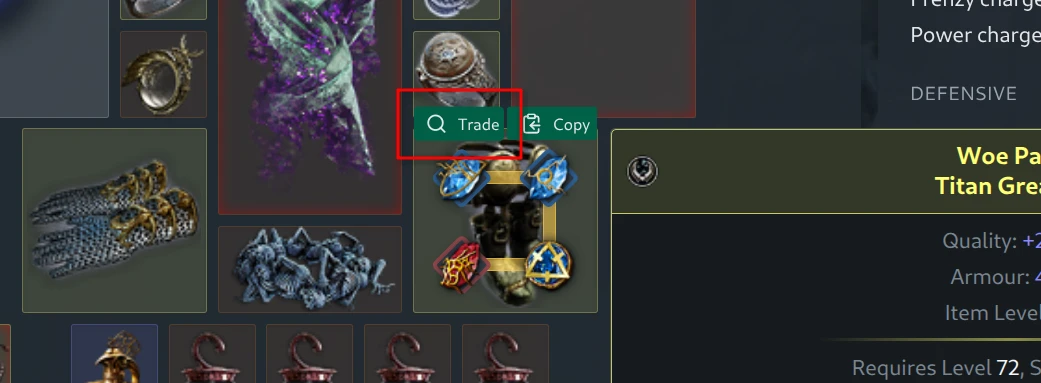
Clicking it opens a dialog showing the item, its mods grouped by category, and a set of options to shape the trade query. Toggle individual mods on or off, pick how strict you want each value to be, and hit “Search on Trade” to open the official trade site with everything filled in.
Equipment
Mods like life and resistances are automatically rolled up into pseudo stats such as total life or total elemental resistance, so the search uses the pseudo filter the trade site expects. Local mods like increased armour or critical strike chance on weapons are filtered out since they are already accounted for by the property filters. The “Search by” options let you generalize the search beyond the exact base type. For example, when looking at Titan Greaves, you can broaden the search to any armour boots or to boots of any kind, while the property filters make sure you still get something with similar armour, evasion or energy shield.
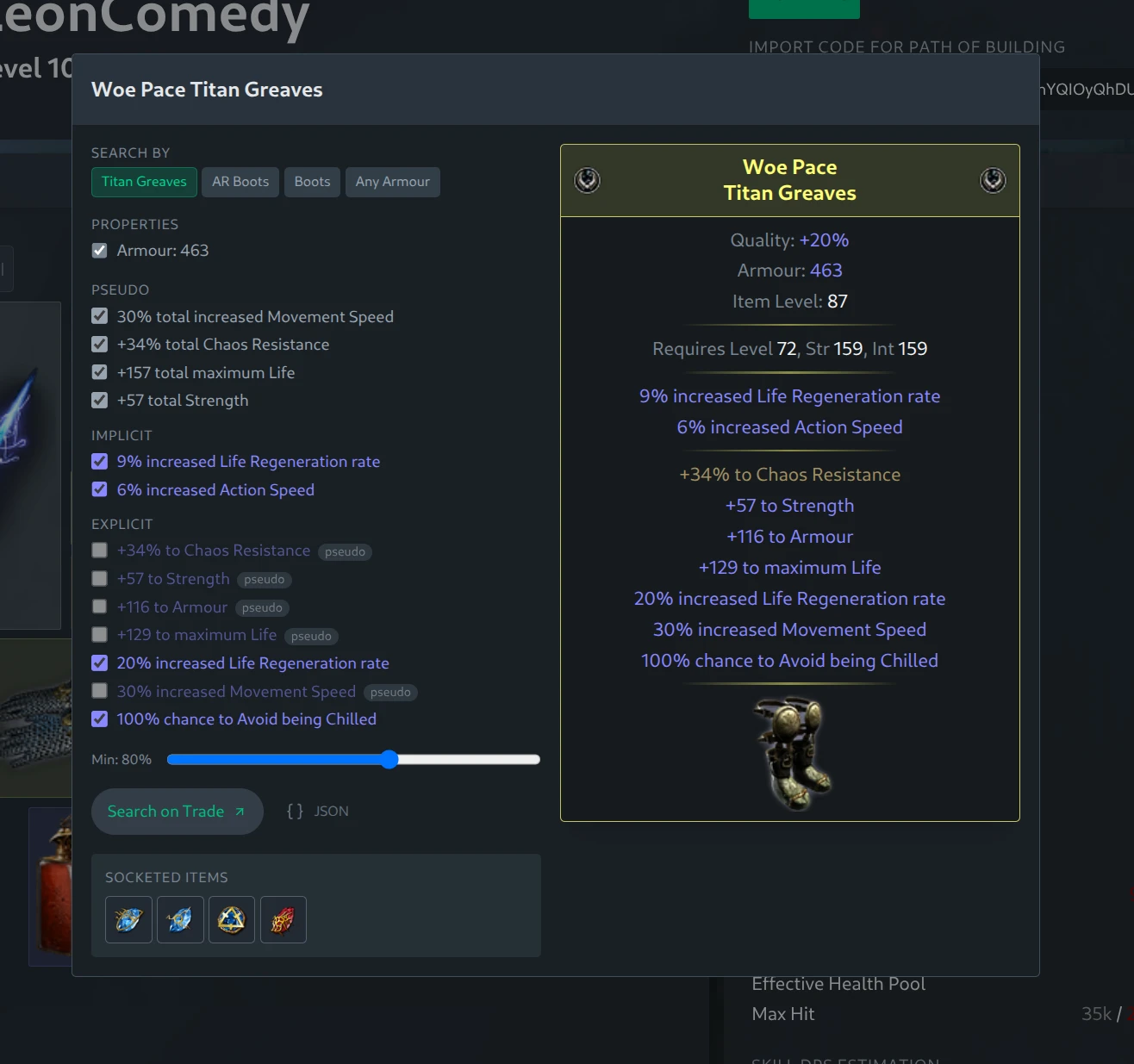
A “Min” slider lets you loosen the search to find slightly worse rolls. By default it is set to 80%, which is useful when looking for similar items in a budget; setting it to 100% gives you exactly the rolls on the original item or better, useful when looking for upgrades to your own gear.
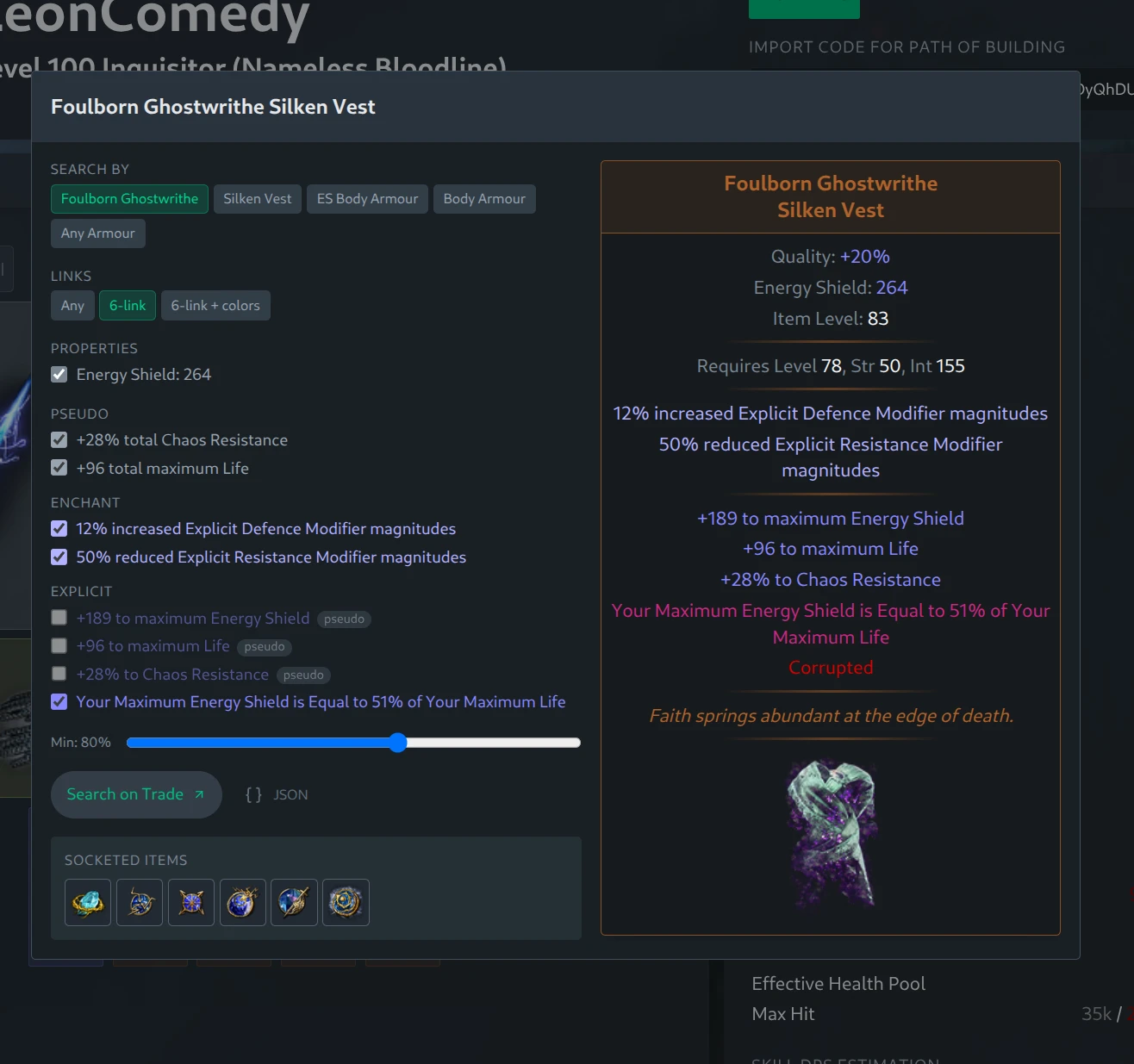
Six-linked items get a “Links” option to require the full link count or even match the exact socket colors. The dialog also shows socketed gems with clickable icons, taking you to a gem-specific trade search with level, quality, corruption and built-in support filters already applied. This is handy for sourcing imbued or transfigured gems like Shock Nova of Procession.
Cluster Jewels
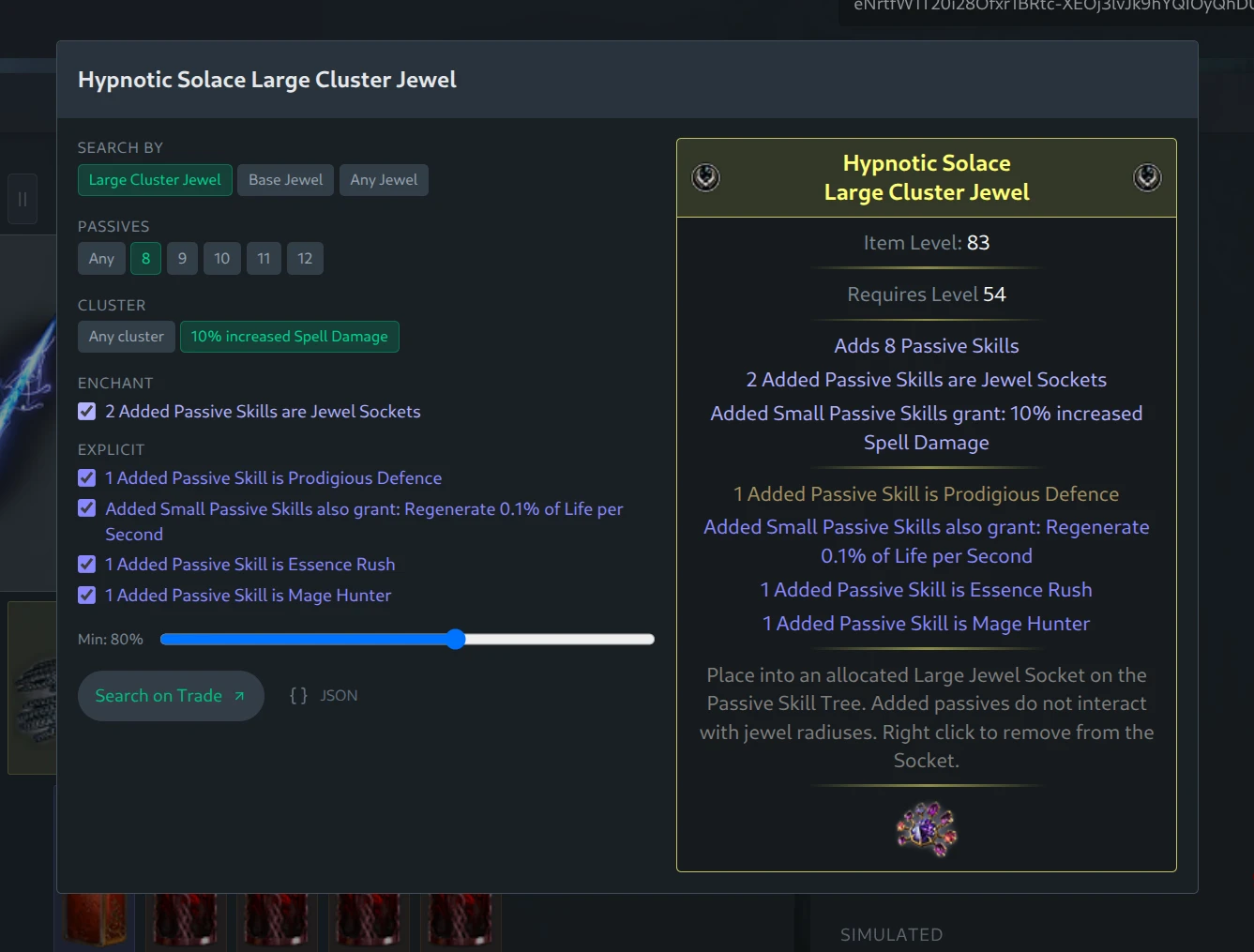
Cluster jewels get extra options for the number of passive nodes and the cluster type, so you can match a specific cluster exactly or open the search up to any cluster while still filtering by the small passive mods you care about.
Timeless Jewels
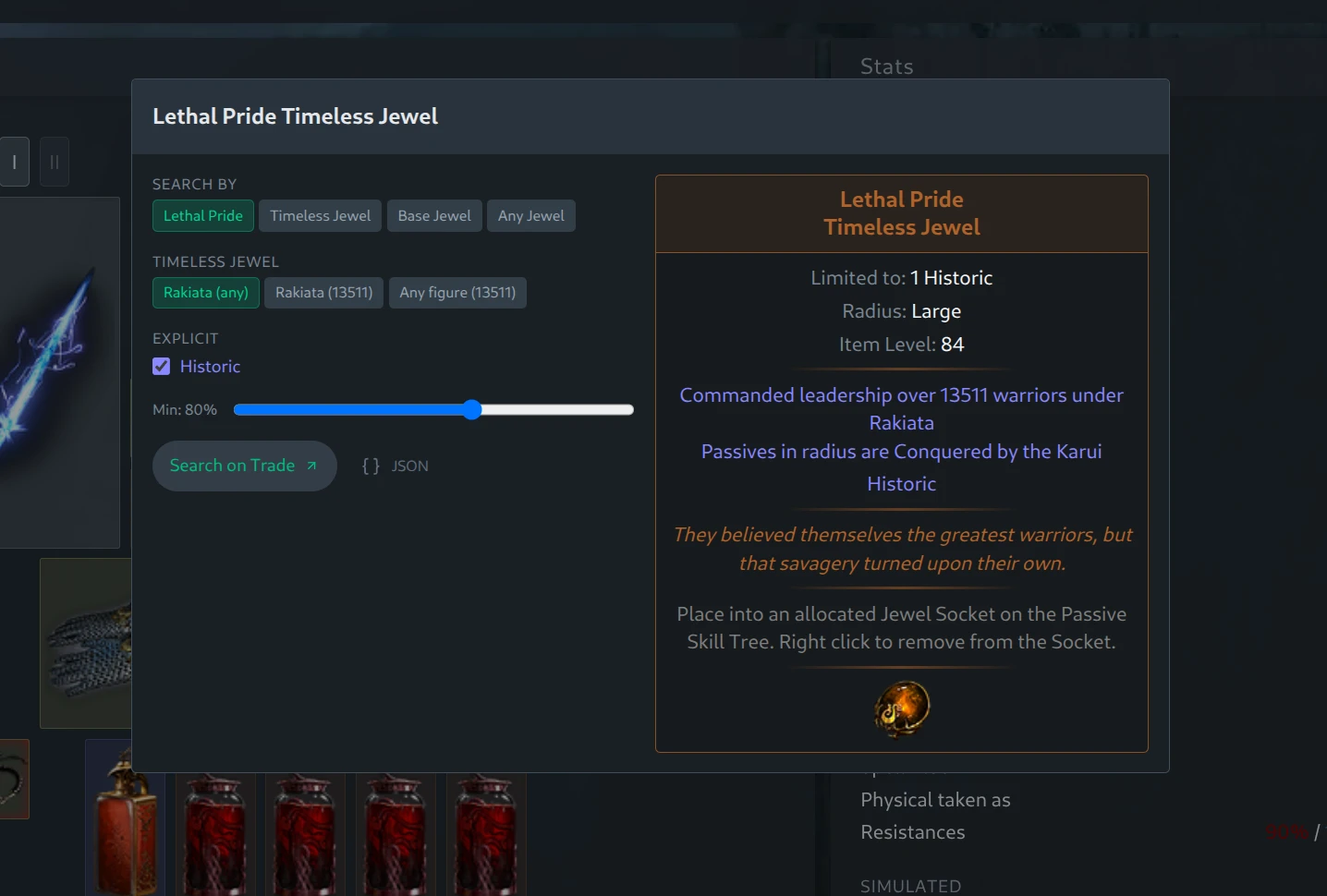
Timeless jewels are recognized by name and offer a choice between a specific seed and figure or any seed for a given figure (like any Rakiata Lethal Pride if you are only after the Tempered by War keystone). Exact-seed searches are useful for popular seeds, while same-figure searches make finding a usable jewel much more practical.